


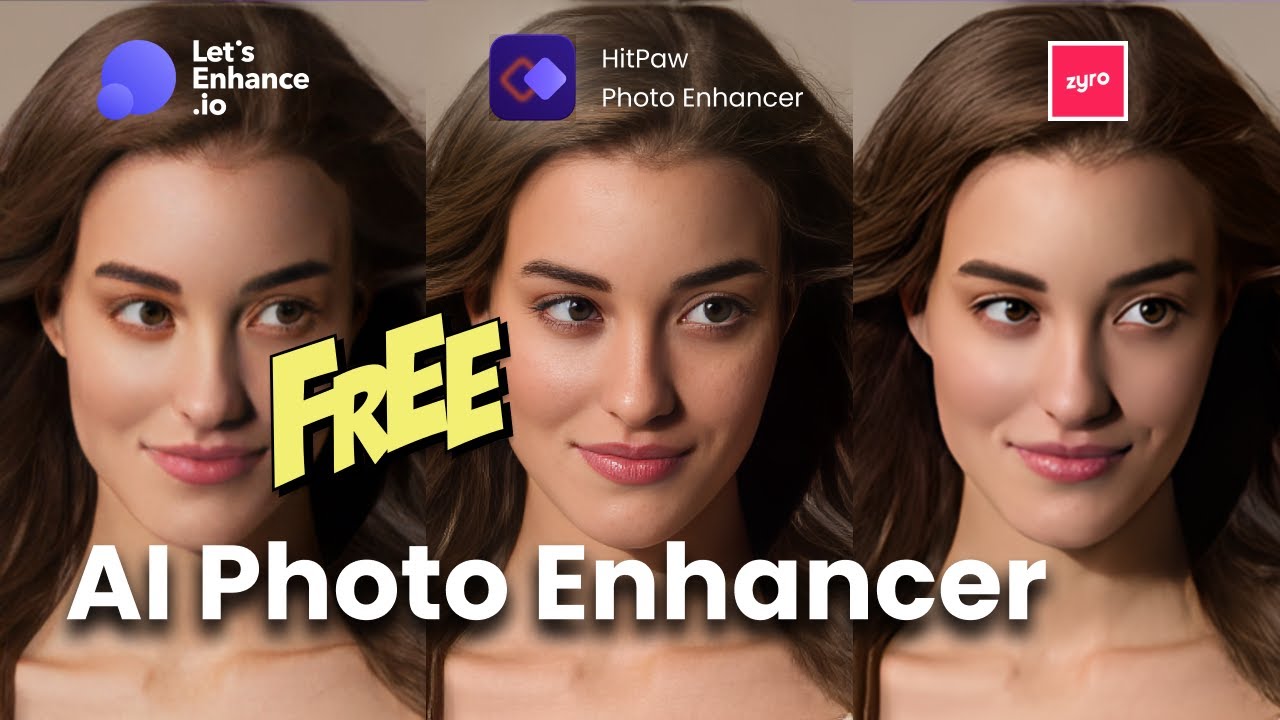
A photo enhancer is a tool that improves the quality of an image by making it clearer, sharper, and more detailed. Many people have old photos, blurry pictures, or low-resolution images that do not look good when shared online or printed. A photo enhancer helps improve these images automatically without requiring advanced editing skills.
- How Does an AI Photo Enhancer Improve Images?
- Photo Enhancer for Personal and Professional Use
- AI Image Upscaling and Resolution Enhancement
- Blur Removal and Image Sharpening
- Noise Reduction Technology
- Color Enhancement and Lighting Correction
- 1. Image Quality Improvement
- 2. AI Processing Accuracy
- 3. Ease of Use
- 4. Speed and Performance
- Step 1: Upload Your Image
- Select Enhancement Options
- Preview and Compare Results
- Download the Enhanced Photo
In the past, improving a photo required professional software and knowledge of manual editing techniques. Users had to adjust brightness, contrast, sharpness, and colors themselves. Today, AI-powered photo enhancers can analyze an image and automatically detect problems such as blur, noise, poor lighting, and missing details.
A modern AI photo enhancer uses artificial intelligence and machine learning to understand the different parts of an image. It can recognize faces, objects, backgrounds, and patterns. Based on this information, it improves the photo while trying to keep the result natural.
For example, if you upload an old family photograph, an AI image enhancer can help restore faded colors, reduce grain, and make faces appear clearer. If you upload a smartphone photo taken in poor lighting, the tool can improve brightness and recover important details.
How Does an AI Photo Enhancer Improve Images?
An AI photo enhancer works by using trained computer models that have learned from millions of images. These models understand what high-quality photos usually look like and compare them with the uploaded image to make improvements.
The technology does not simply increase the size of a picture. Instead, it analyzes pixels and predicts missing details to create a clearer and more realistic result. This process is called AI upscaling or image enhancement.
Some important technologies behind photo enhancement include:
- AI Upscaling: Increases image resolution while maintaining details.
- Noise Reduction: Removes unwanted grain from low-quality images.
- Smart Sharpening: Improves edges and makes objects clearer.
- Color Correction: Fixes dull or inaccurate colors.
- Face Enhancement: Improves facial details in portraits.
A simple example is a blurry photo taken from an older phone camera. A normal resizing tool may only make the image bigger, but an AI photo enhancer can analyze the image and improve its sharpness, lighting, and details.
| Feature | How It Helps Photos |
|---|---|
| AI Upscaling | Makes small images larger with better quality |
| Blur Removal | Improves unclear and soft images |
| Color Enhancement | Makes colors look more natural |
| Noise Reduction | Removes unwanted spots and grain |
| Face Improvement | Makes portraits clearer |
According to photography experts, the goal of a good photo enhancer is not to completely change an image but to improve what is already there. The best results usually look natural instead of heavily edited.
“AI photo enhancement works best when it improves the original image while keeping its real appearance.”
A quality photo enhancer is especially useful for beginners because it removes the complexity of professional editing. Instead of spending hours adjusting different settings, users can improve their photos in a much shorter time.
| Category | Information |
|---|---|
| Main Purpose | Improve image quality, clarity, and resolution |
| Technology Used | Artificial intelligence and machine learning |
| Best For | Old photos, blurry images, portraits, and online content |
| Skill Required | Beginner-friendly |
| Common Features | Upscaling, sharpening, color correction, noise removal |
Why Do People Use Photo Enhancers?
People use photo enhancers for many different reasons, from improving personal memories to creating professional-quality images. Today, photos are an important part of communication. People share pictures on social media, use images for businesses, create online content, and store important memories digitally.
One of the biggest reasons people use photo enhancement tools is to fix low-quality images. Sometimes a special moment is captured with a weak camera, poor lighting, or incorrect settings. A photo enhancer can help improve these images by increasing clarity and making them more enjoyable to view.
Another common use is restoring old photographs. Many people have printed pictures from years ago that have become faded, scratched, or unclear over time. AI restoration tools can help bring these images back to life by improving colors and recovering details.
Businesses also use AI photo enhancers to improve their visual content. High-quality images can make products look more attractive and professional. Online stores, photographers, marketers, and content creators often use enhancement tools to create better-looking images quickly.
A photo enhancer can be useful for:
- Improving social media photos.
- Enhancing product images for online stores.
- Restoring family photographs.
- Making blog and website images clearer.
- Improving professional photography workflows.
Photo Enhancer for Personal and Professional Use
For personal users, a photo enhancer makes it easier to improve everyday pictures. A person does not need to understand complicated editing software. They can simply upload an image and apply improvements automatically.
For professionals, photo enhancement tools save time and improve workflow. Photographers may use them to quickly improve large collections of images. Businesses can create better marketing materials without spending extra time on manual editing.
| Usage Area | How Photo Enhancer Helps |
|---|---|
| Personal Photos | Makes memories clearer and sharper |
| Business Images | Creates professional-looking visuals |
| Social Media | Improves posts and profile pictures |
| Photography | Speeds up editing processes |
The popularity of AI image enhancement continues to grow because people want faster and easier ways to improve their photos. Instead of replacing creativity, these tools support users by handling technical improvements automatically.
Key Features to Look for in the Best Photo Enhancer
A good photo enhancer should do more than simply make an image larger. The best tools combine multiple AI technologies to improve different parts of a photo while keeping the original look natural. When choosing an AI image enhancer, users should focus on the quality of improvements, ease of use, processing speed, and available features.
Modern photo enhancement tools are designed for different types of users. Beginners may need simple one-click improvements, while professionals may look for advanced controls and higher-quality output. Understanding the important features helps users choose a tool that matches their needs.
AI Image Upscaling and Resolution Enhancement
One of the most popular features of an AI photo enhancer is image upscaling. Many older photos or images from low-quality cameras have small dimensions and limited details. Traditional resizing methods usually make these images bigger but often create blurry results.
AI-powered upscaling works differently. It studies the existing pixels and uses learned patterns to create improved details. This allows users to increase image resolution while maintaining better sharpness and quality.
For example, a small image taken from an old mobile phone may look unclear when enlarged. An AI photo enhancer can improve edges, textures, and important details so the image appears cleaner.
Benefits of AI upscaling include:
- Making small images suitable for printing.
- Improving old digital photographs.
- Creating better-quality website images.
- Preparing visuals for social media platforms.
However, it is important to understand that AI cannot magically recreate every missing detail. The final quality depends on the original image. A slightly blurry image may improve significantly, while an extremely damaged image may have limited results.
Blur Removal and Image Sharpening
Blur is one of the most common problems in photography. It can happen because of camera movement, poor focus, low lighting, or older camera technology. A blurry photo enhancer helps improve image clarity by identifying unclear areas and making important details sharper.
AI sharpening focuses on improving edges and textures without making the image look unnatural. Good enhancement tools balance sharpness carefully because too much sharpening can create artificial-looking images.
For example, a portrait photo may have unclear facial details. A photo enhancer can improve the eyes, hair, and facial features while keeping the person’s appearance realistic.
A quality sharpening feature should:
- Improve details without adding fake textures.
- Keep skin tones natural.
- Avoid creating harsh outlines.
- Maintain the original style of the photo.
Noise Reduction Technology
Image noise appears as small unwanted dots or grain in photographs. It is common in pictures taken in dark environments or with older cameras. Noise can reduce image quality and make photos look less professional.
AI photo enhancers use noise reduction technology to remove these unwanted elements while protecting important details. Instead of simply smoothing the image, advanced tools identify the difference between noise and real information.
This feature is especially useful for:
- Night photography.
- Indoor photos.
- Old scanned pictures.
- Low-light smartphone images.
A good noise reduction system improves clarity without making the photo look too soft or unrealistic.
Color Enhancement and Lighting Correction
Colors play an important role in how people experience an image. A photo with poor lighting may appear dull, dark, or inaccurate. A photo enhancer can automatically adjust colors, brightness, and contrast to make images look more balanced.
AI-powered color correction analyzes the image and identifies areas that need improvement. It can brighten dark areas, improve contrast, and restore faded colors in old photographs.
Common improvements include:
- Better brightness balance.
- More natural colors.
- Improved contrast.
- Enhanced image depth.
For example, an old family photo may have lost its original colors over time. AI restoration features can help bring back more realistic tones and make the picture look refreshed.
4 Important Attributes of a Good Photo Enhancer
Choosing the right photo enhancer requires understanding the qualities that make a tool effective. Not every enhancement tool produces the same results. Some focus mainly on increasing size, while others provide complete AI-based image improvement.
The following four attributes are important when selecting a reliable photo enhancement solution.
1. Image Quality Improvement
The main purpose of a photo enhancer is to improve image quality. A good tool should make photos clearer while preserving their natural appearance.
Quality improvement includes:
- Better sharpness.
- Improved resolution.
- Clearer details.
- More balanced colors.
- Reduced visual noise.
A powerful enhancement tool should not make images look artificial. The goal is to improve the photo while keeping its original identity.
2. AI Processing Accuracy
AI accuracy determines how well a tool understands and improves an image. Advanced AI models can recognize different elements such as faces, objects, backgrounds, and textures.
A highly accurate AI photo enhancer can make intelligent decisions about each part of an image. For example, it may enhance a face differently from a landscape because each type of image requires different adjustments.
Good AI processing should provide:
- Realistic improvements.
- Accurate detail recovery.
- Natural colors.
- Minimal distortion.
3. Ease of Use
A great photo enhancer should be easy for everyone to use. Many people do not have experience with professional editing software, so simple tools are becoming increasingly popular.
Beginner-friendly features include:
- One-click enhancement.
- Automatic adjustments.
- Simple upload process.
- Easy download options.
The purpose of AI technology is to remove unnecessary complexity and allow users to improve photos quickly.
4. Speed and Performance
Processing speed is another important factor. Users do not want to wait a long time for a single image to improve, especially when working with multiple photos.
A fast photo enhancer provides:
- Quick image processing.
- Smooth user experience.
- Support for high-resolution images.
- Efficient performance.
For photographers and businesses handling many images, speed can save significant time.
How to Use a Photo Enhancer Step by Step
Using a photo enhancer is usually simple, even for people with no editing experience. Most AI enhancement tools follow a similar process that allows users to improve images within a few steps.
Step 1: Upload Your Image
The first step is selecting the photo you want to improve. Users should choose images with good original quality whenever possible because better input usually creates better results.
Commonly supported formats include:
- JPG or JPEG.
- PNG.
- WebP.
- Other common image formats.
Before uploading, it is helpful to select a photo that clearly shows the problem you want to fix, such as blur, low resolution, or poor lighting.
Select Enhancement Options
After uploading the image, users can choose different improvement features. Some tools automatically apply changes, while others allow users to select specific options.
Common enhancement choices include:
- Image upscaling.
- Face enhancement.
- Blur removal.
- Color improvement.
- Noise reduction.
The right settings depend on the type of image. A portrait may benefit from face enhancement, while a landscape photo may need better colors and sharpness.
Preview and Compare Results
Before saving the final image, users should compare the original and enhanced versions. This helps determine whether the changes look natural.
A good comparison process checks:
- Is the image clearer?
- Do colors look realistic?
- Are details improved?
- Does the photo still look natural?
AI tools are powerful, but automatic improvements should always be reviewed.
Download the Enhanced Photo
Once satisfied with the result, users can save the improved image. It is important to choose the right file format and quality settings.
For professional purposes, users should select higher-quality export options to maintain details.
| Step | What Happens |
|---|---|
| Upload Image | User selects a photo needing improvement |
| AI Analysis | Tool studies image quality and problems |
| Enhancement | AI improves details, colors, and resolution |
| Export | User saves the final improved image |
Read more : Gaming Gear ScookieGear: Everything You Need to Know for Better Gaming
